
Production plan
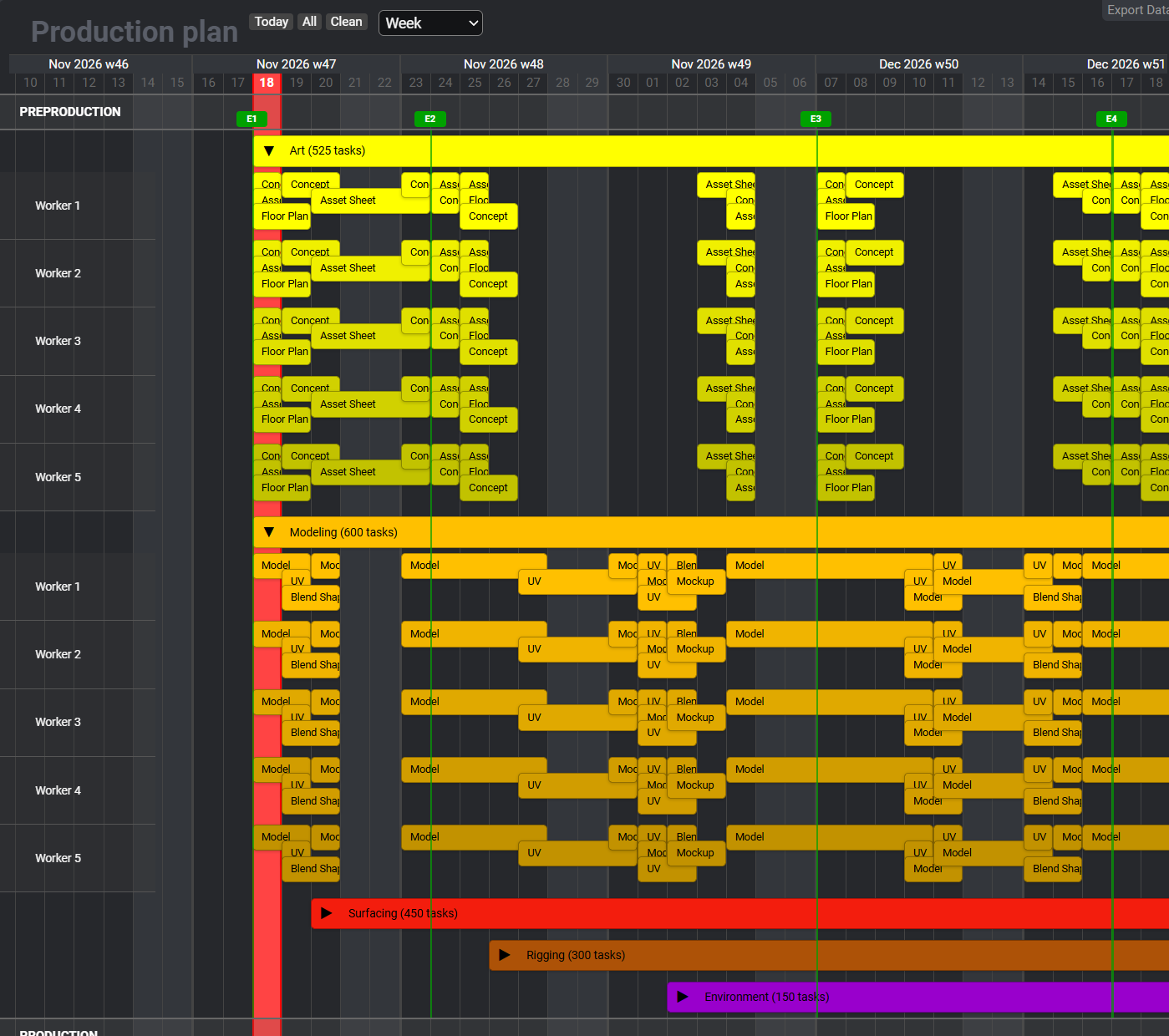
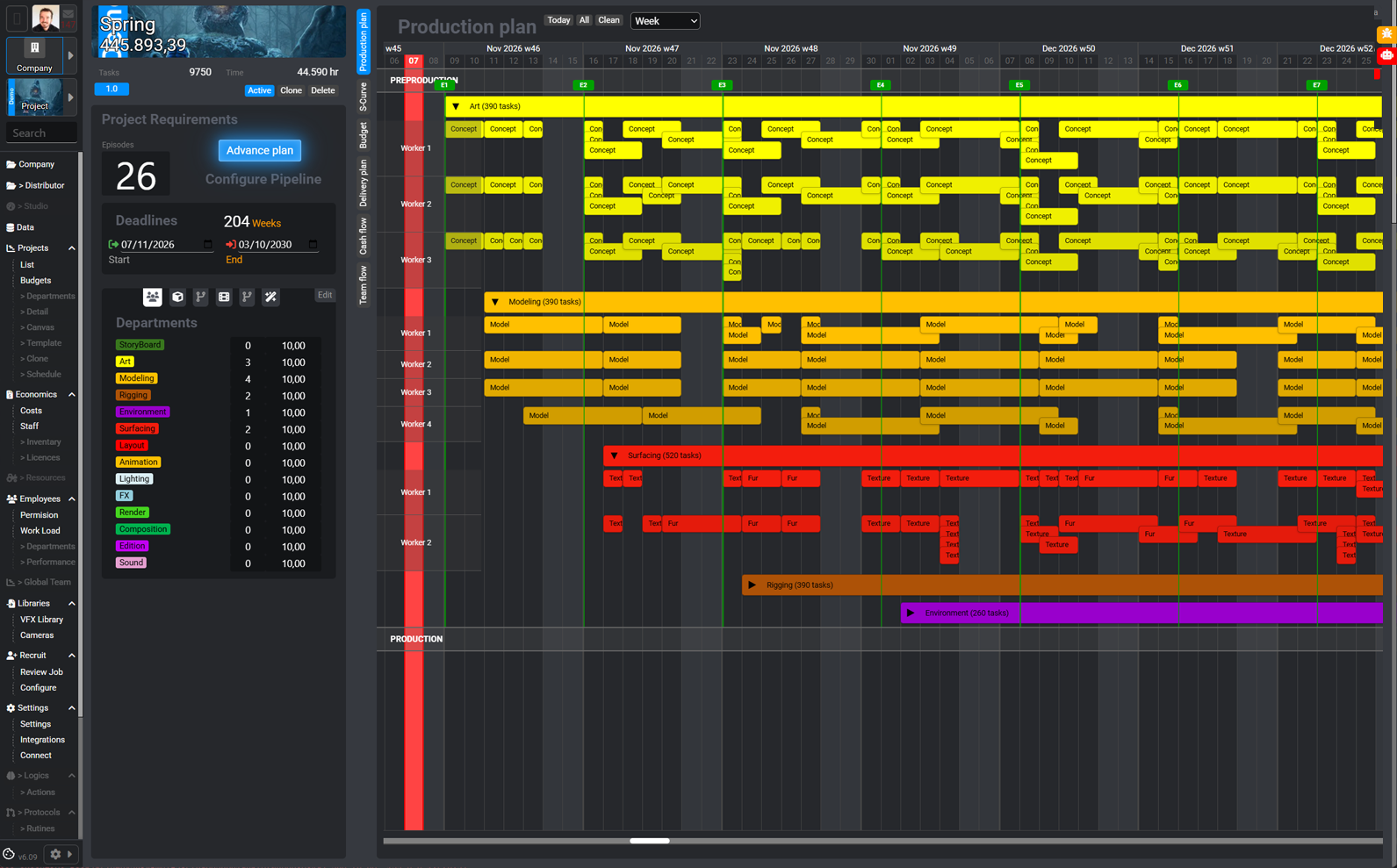
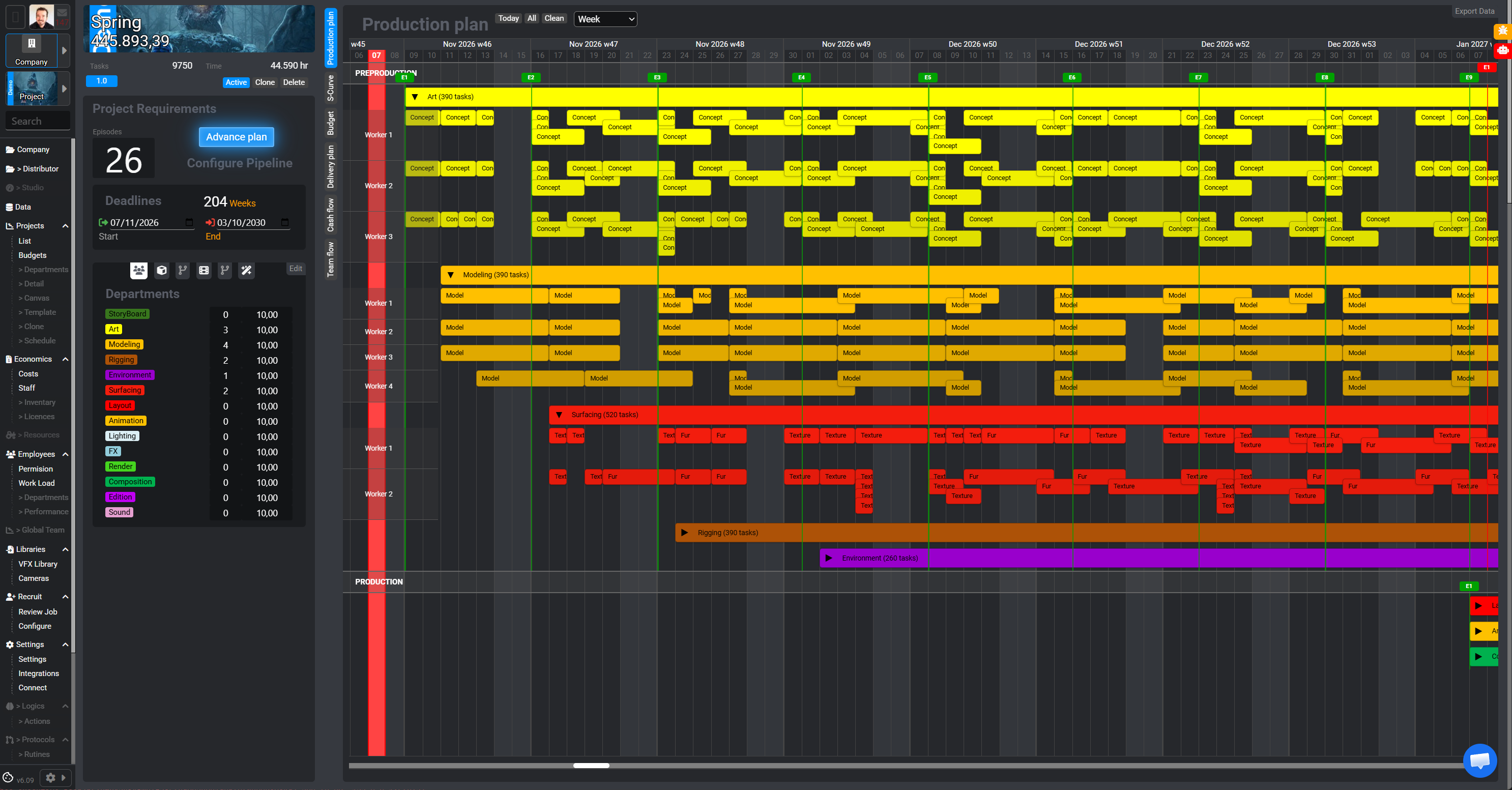
Schedule tasks by phase, department and person. The timeline shows where work overlaps and how much each team will take on before you commit to dates.
One platform. The whole production.
From first pitch to final delivery.
PIPELINEPRO / EXECUTIVE
The decisions that make production possible.
A festival conversation could become your next production. Connect the schedule, budget, payment instalments and hiring from the start, while just a few of you are shaping the project.
For executive producers, studios and co-producers.
YOUR NEXT PRODUCTION
By production type
2D animation, 3D production or visual effects. Explore how PipelinePro fits your specialty.
 Harmony
 After Effects
 Premiere
Animation → Compositing → Editing
Animate in Harmony, composite in After Effects and edit in Premiere in one shared workflow.
Explore workflow↗ Maya
 Nuke
 DaVinci Resolve
3D → Compositing → Color
Connect Maya, Nuke and DaVinci Resolve to take your assets and shots through final finishing.
Explore workflow↗Nuke Houdini
 Hiero
Compositing → 3D → Conforming
Coordinate Nuke compositing, Maya scenes and Hiero conforming with connected versions and deliveries.
Explore workflow↗01 / LONG BEFORE KICK-OFF
Between that first conversation and kick-off, decisions shape viability. Keep them connected in one workspace.
Someone pitches an idea. Start shaping the project, its needs and the conversations ahead.
Map stages, departments and deliveries. Size the work before committing to dates.
Connect team size, working days and operating costs to build a budget with context.
Plan payment instalments and read incoming funds alongside projected project costs.
Anticipate which roles you need, when they join and how they affect the plan.
02 / A CONNECTED PERSPECTIVE
Explore actual Executive views. From department detail to the perspective of the whole project.
Schedule tasks by phase, department and person. The timeline shows where work overlaps and how much each team will take on before you commit to dates.
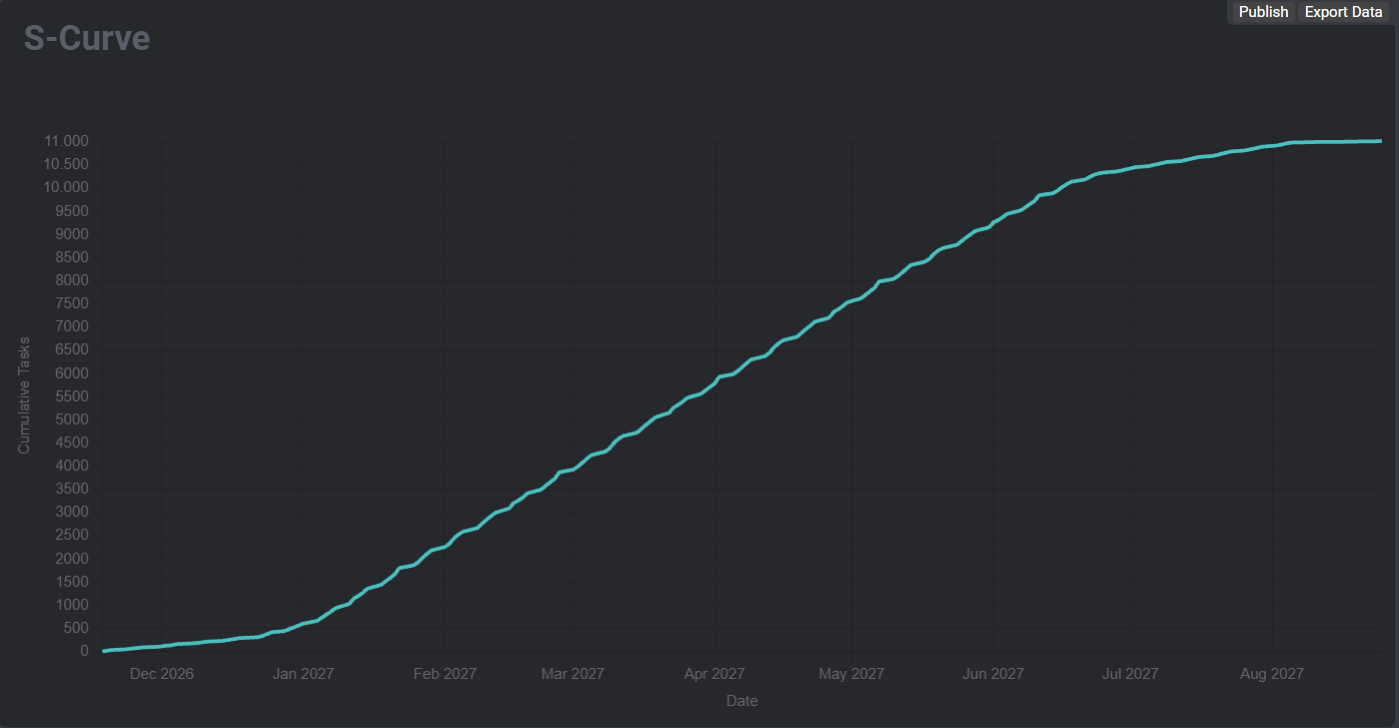
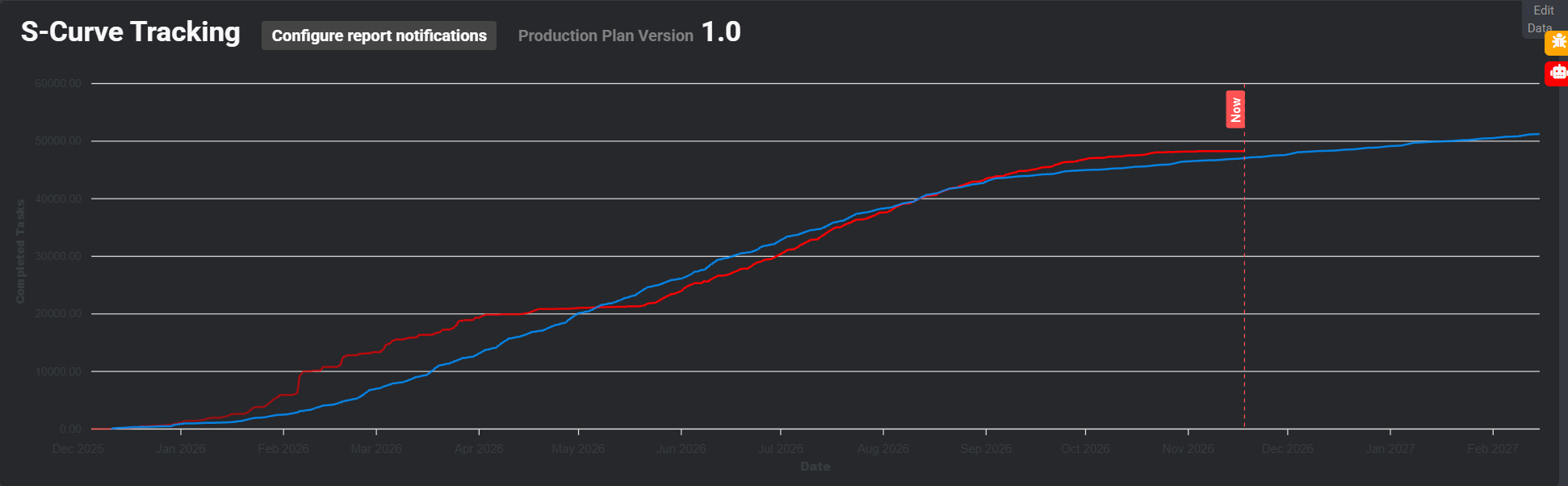
See how planned tasks accumulate over the production schedule. Steeper sections show where the plan concentrates more work.
Once the planned S-curve is published, use it as a baseline to compare completed and planned tasks day by day. This shows whether the project is ahead or needs to catch up.
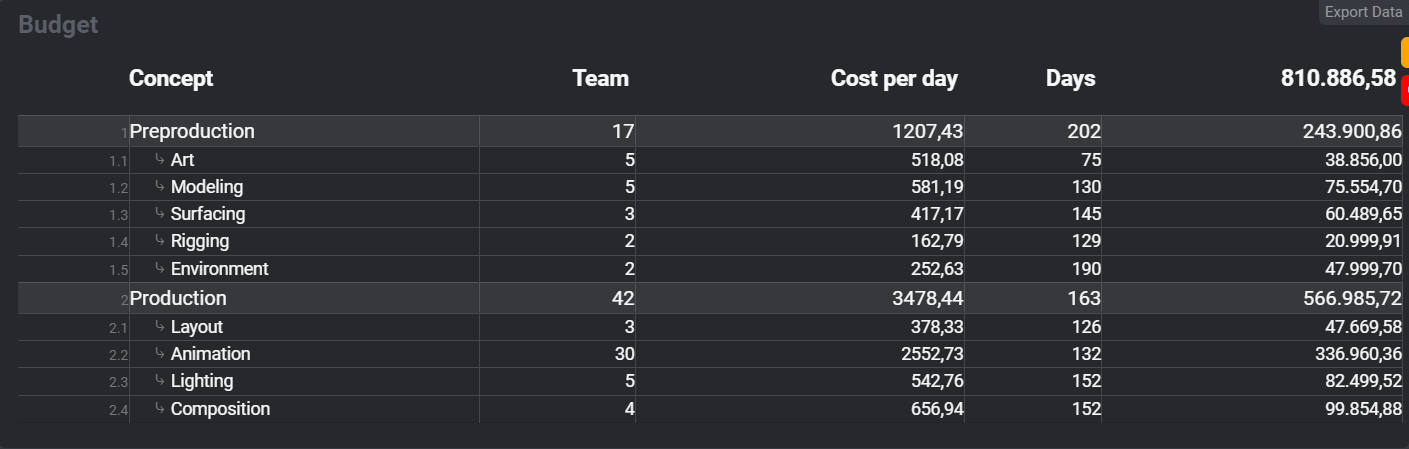
Review estimated costs by phase and department. The breakdown shows the team size, daily cost and workdays behind each line item.
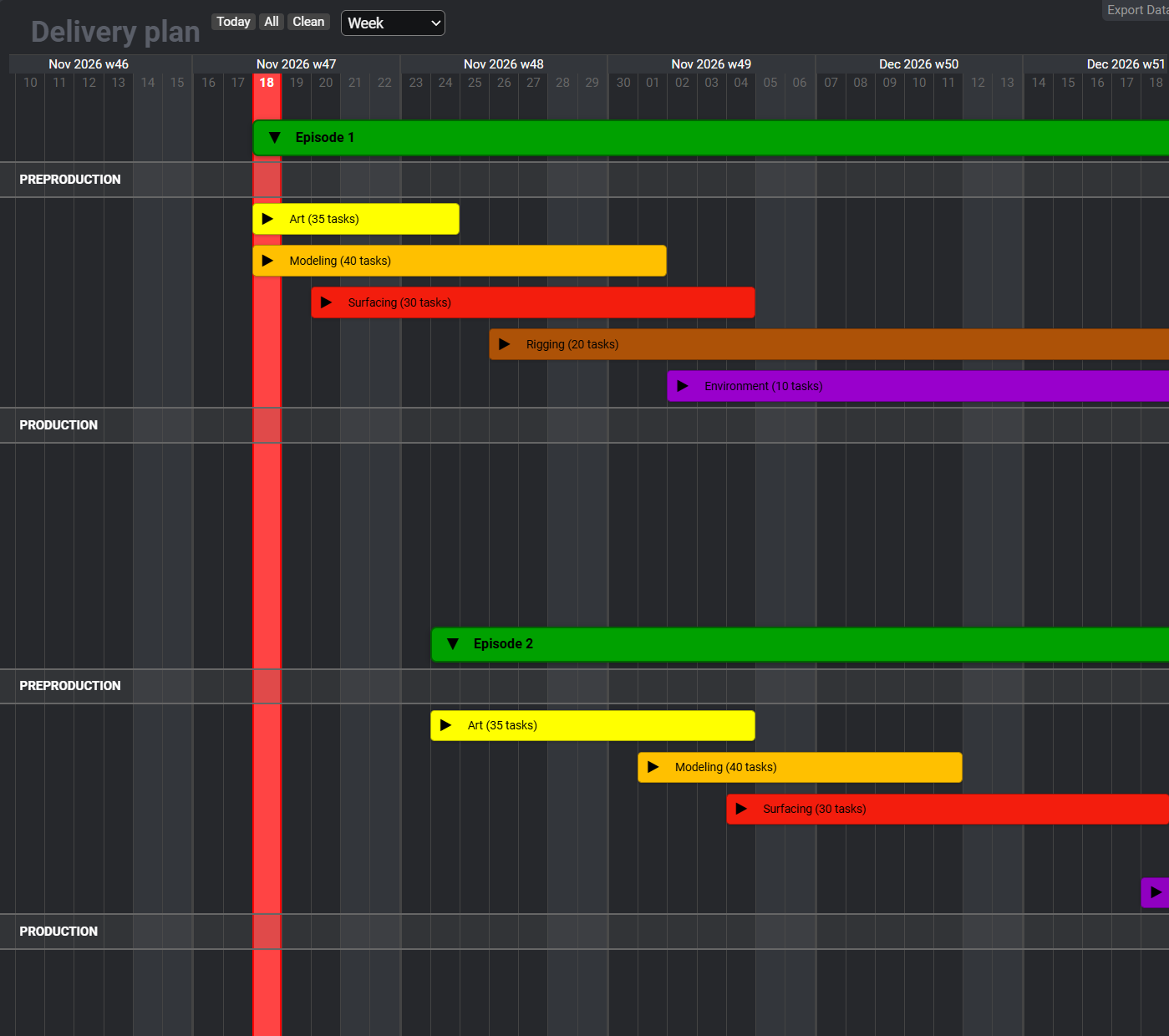
Group deliveries by episode and department. The calendar shows which work overlaps and which stages affect each delivery.
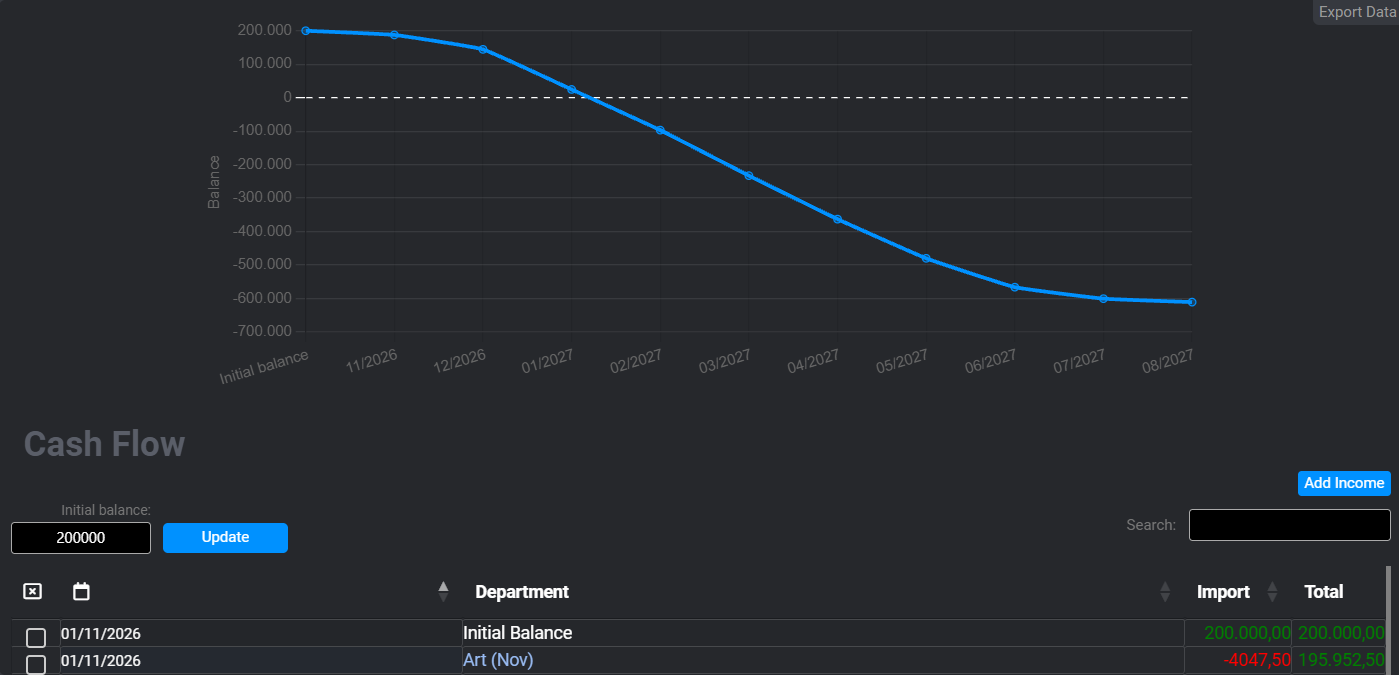
Project the balance from opening funds, expected income and department costs. See when additional funding may be needed.
Check when people are scheduled to join and leave each department. The stacked chart shows staffing peaks so you can plan hiring.
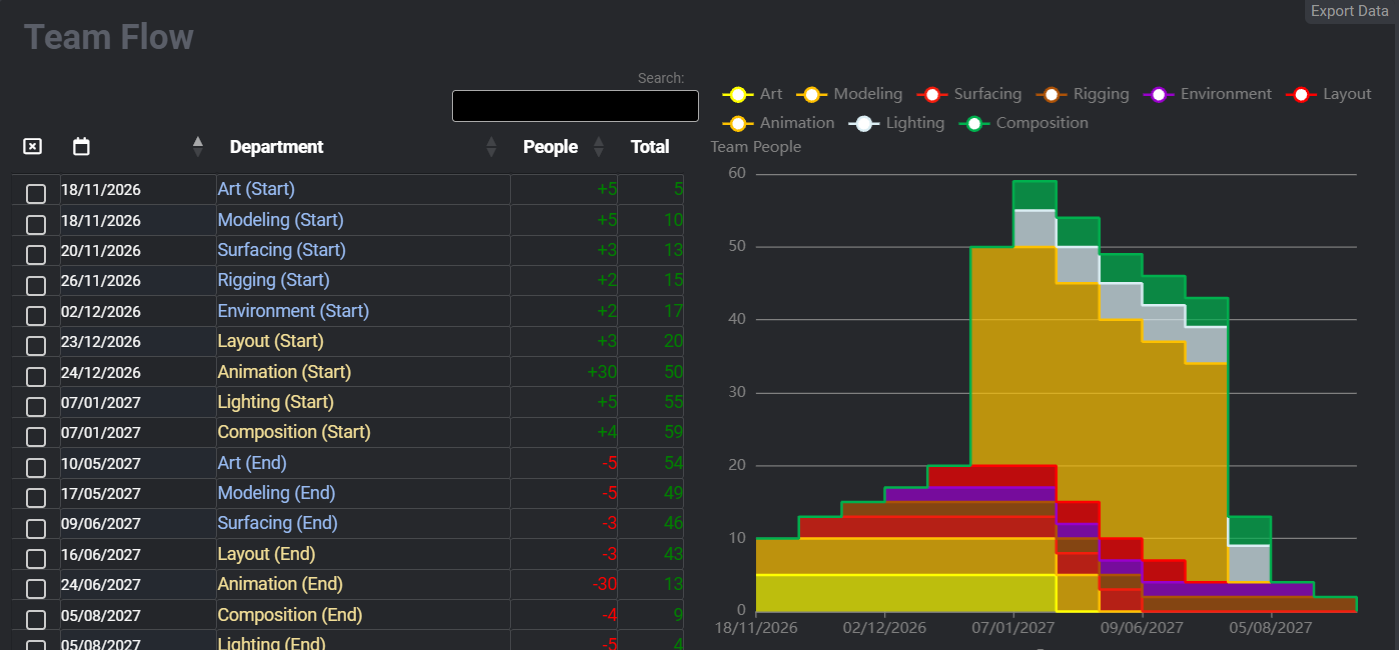
Actual platform screenshots. Content belongs to example projects.
03 / PLAN AHEAD TO DECIDE
A budget can add up and still need funding before a payment arrives. Read payment milestones, projected spending and new hires within the same production horizon.
Illustrative outline: every production has its own agreements, milestones and needs.
04 / A SMALL TEAM. BIG DECISIONS.
You don’t need licences for the future production crew to start planning. Development involves just a few people: executive production, production and administration. Flex usage follows the people actually using the platform.
Calculate your Flex licenses1 Flex covers one person for one month. Each month, your user count is deducted from your balance.
BEFORE YOU START
Yes. This stage is for the team preparing the project: sizing work, budgeting and anticipating funding and hiring before kick-off.
The views shown help plan payment instalments, costs and staffing needs. In the demo, we’ll review your hiring process and the scope of the setup you need.
If you already work with Distributor, request Executive from your company workspace. Our team reviews the request and contacts you to discuss the setup. If you don’t use PipelinePro yet, contact us for a demo.
THE NEXT CONVERSATION COULD BE THE START
Tell us what you want to produce and where you are now. Let’s look at the schedule, the numbers and the team together.