PRODUCTION MANAGEMENT.
From the plan to the work on the floor.
Connect budgets, teams, shots and deliveries so you can see what is moving and where to act.
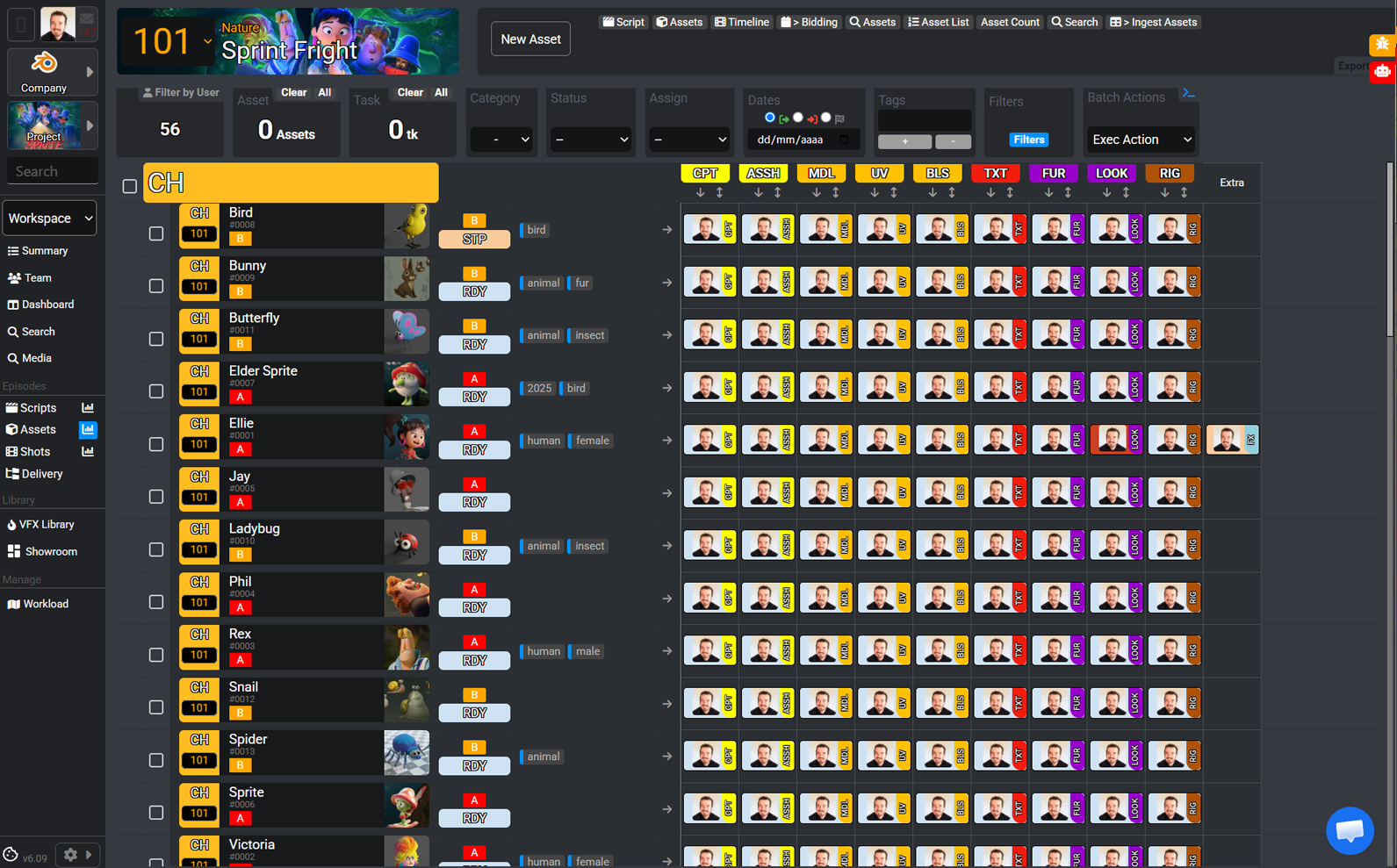
See the whole production.
Review dates, costs and deliveries with the same context as the team moving shots forward every day.
Plan and budget
Set phases and milestones in the production schedule. See where departments overlap and estimate the workdays, capacity and costs for each one.
Compare expected spending with scheduled payments to anticipate when you’ll need funds.
Script and breakdown
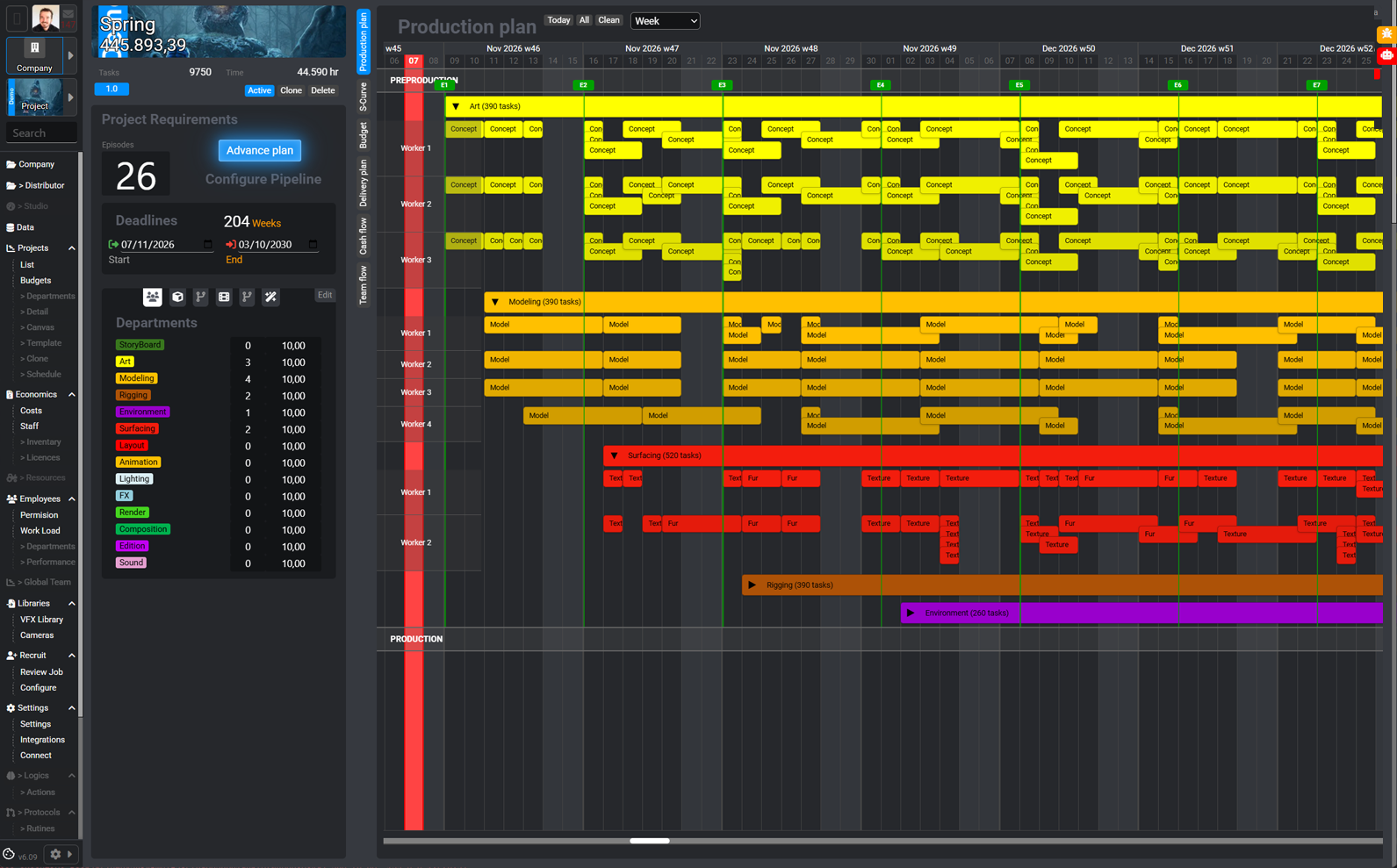
Organise the story into episodes, sequences and shots. Identify the characters, environments and props that appear in each scene of the script.
Use the breakdown to build the asset list and estimate the work before assigning it.
Tasks and teams
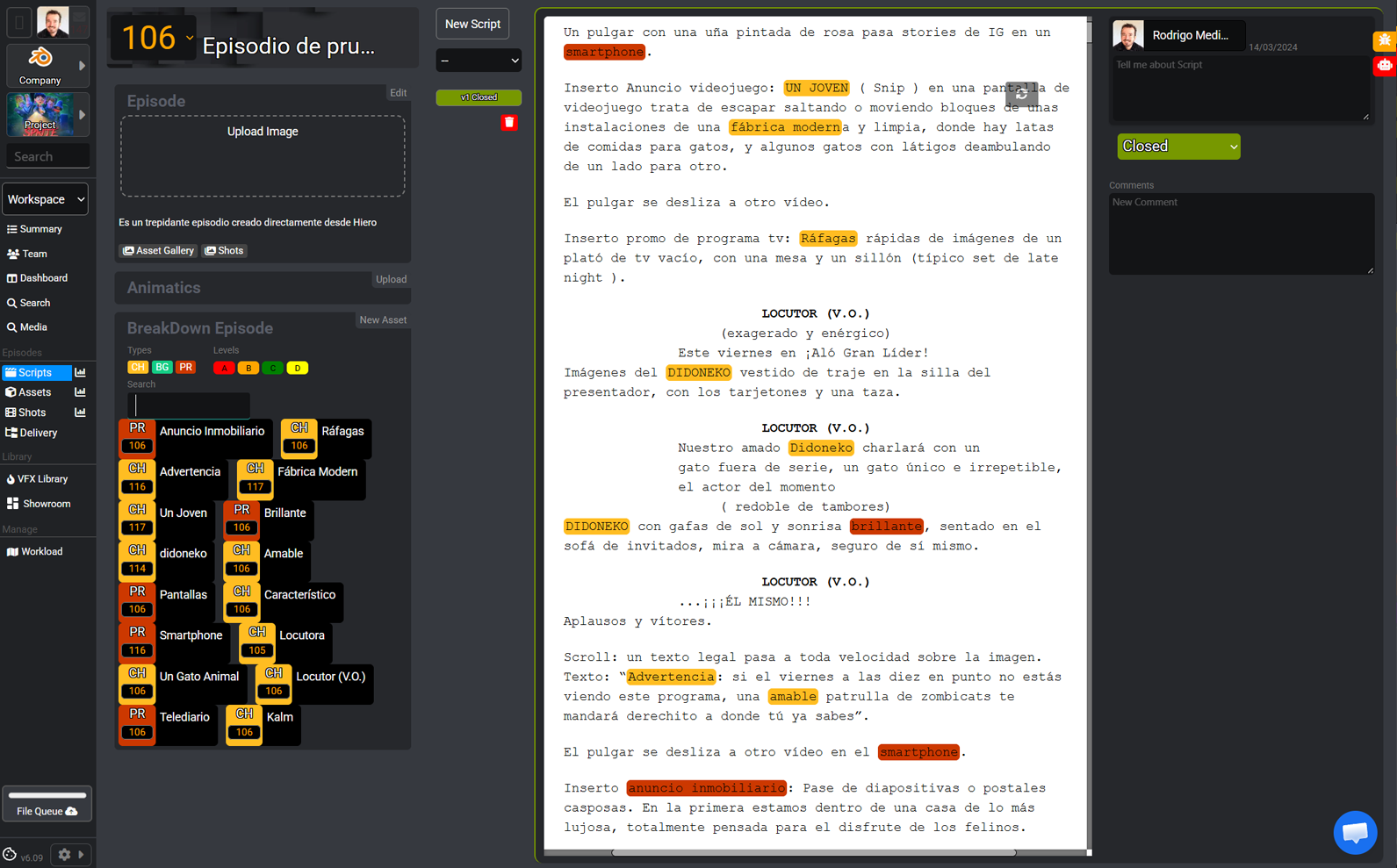
Assign owners, due dates and priorities to each shot or asset task. Review task statuses by department to spot bottlenecks.
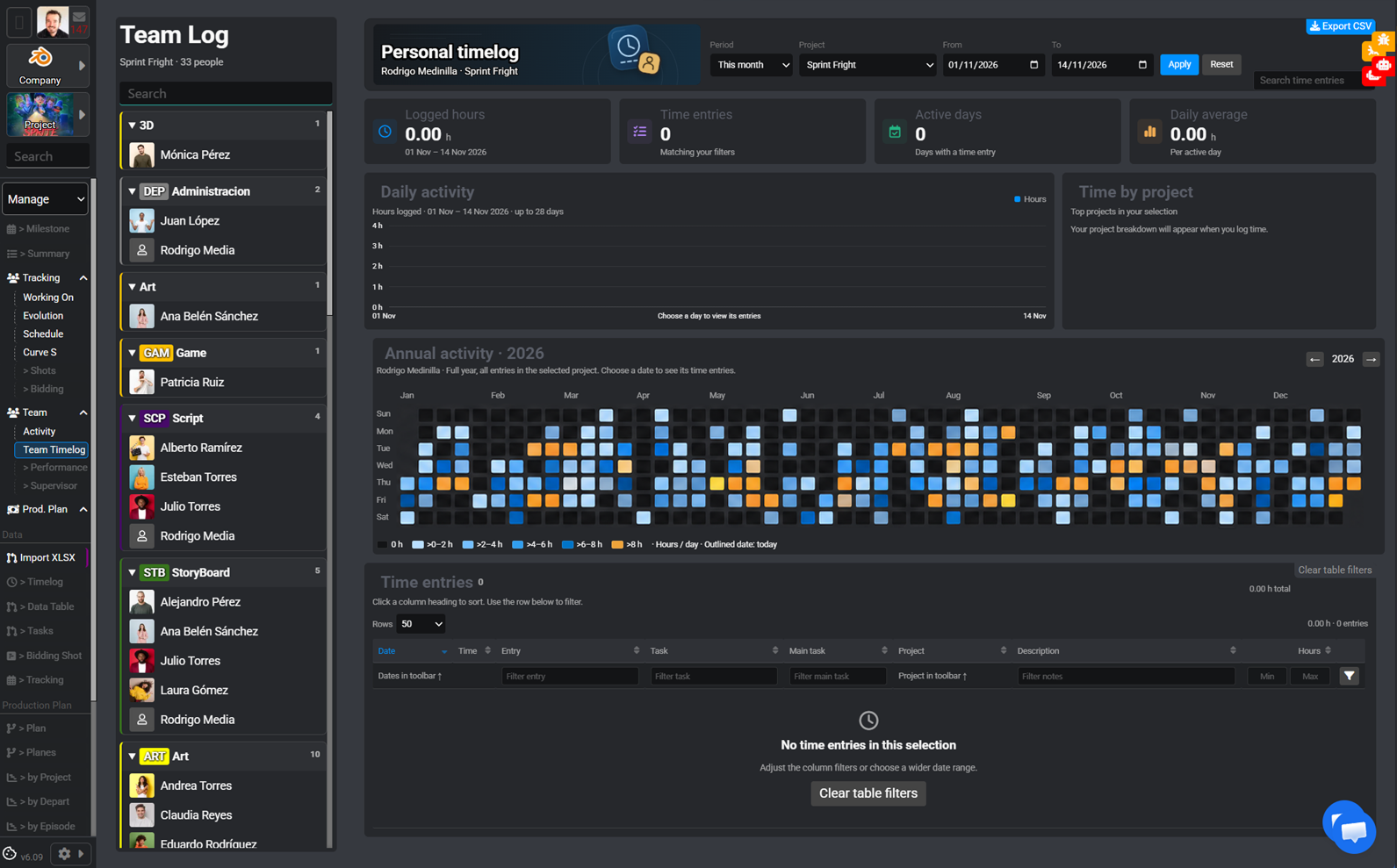
Check time logged by person and project to adjust how work is assigned.
Versions and review
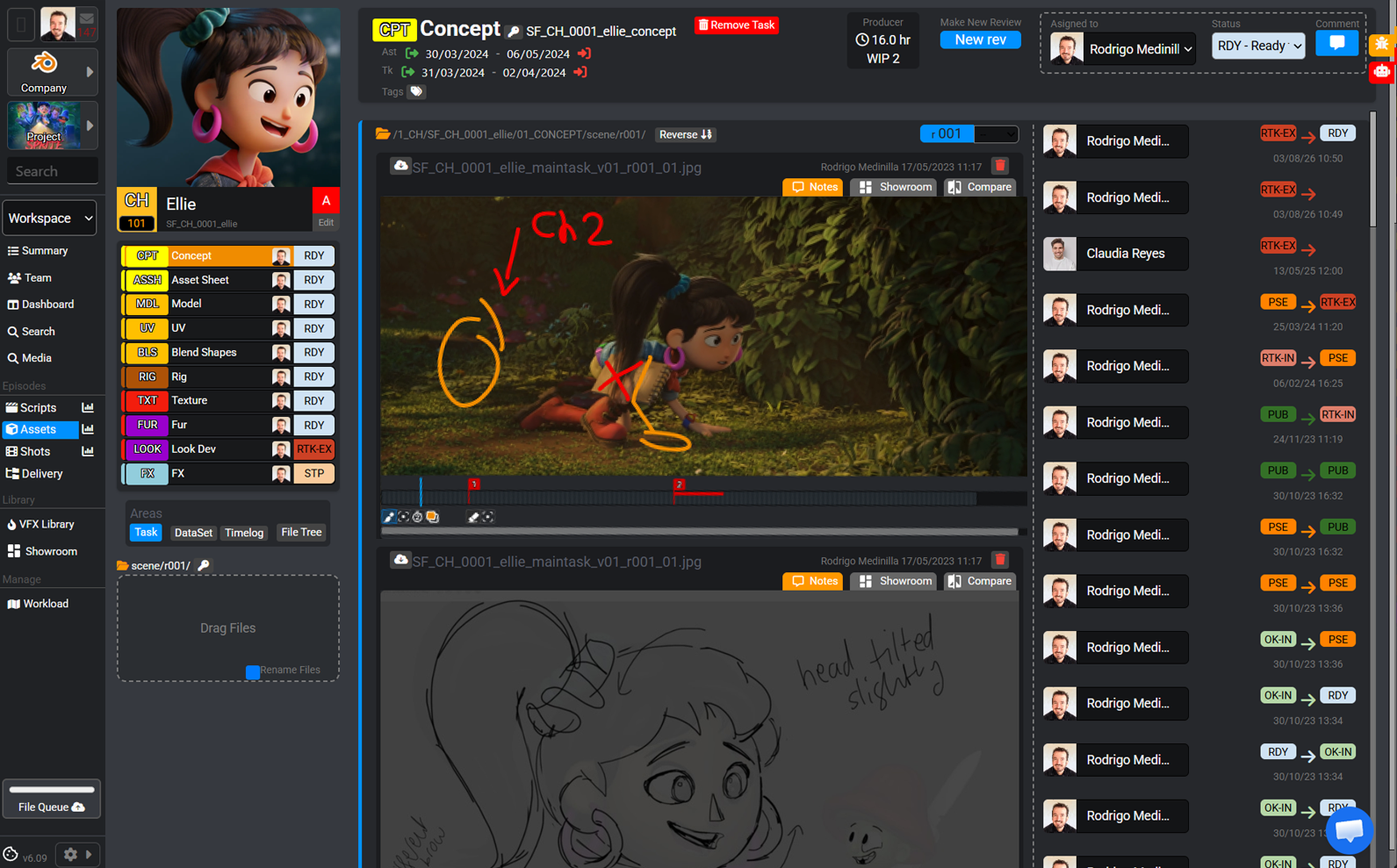
Open a shot or asset to review its versions, comments and annotations. The team can see which image a change was requested on and which version is under review.
Check the status by department to decide which version moves to the next stage.
Deliveries
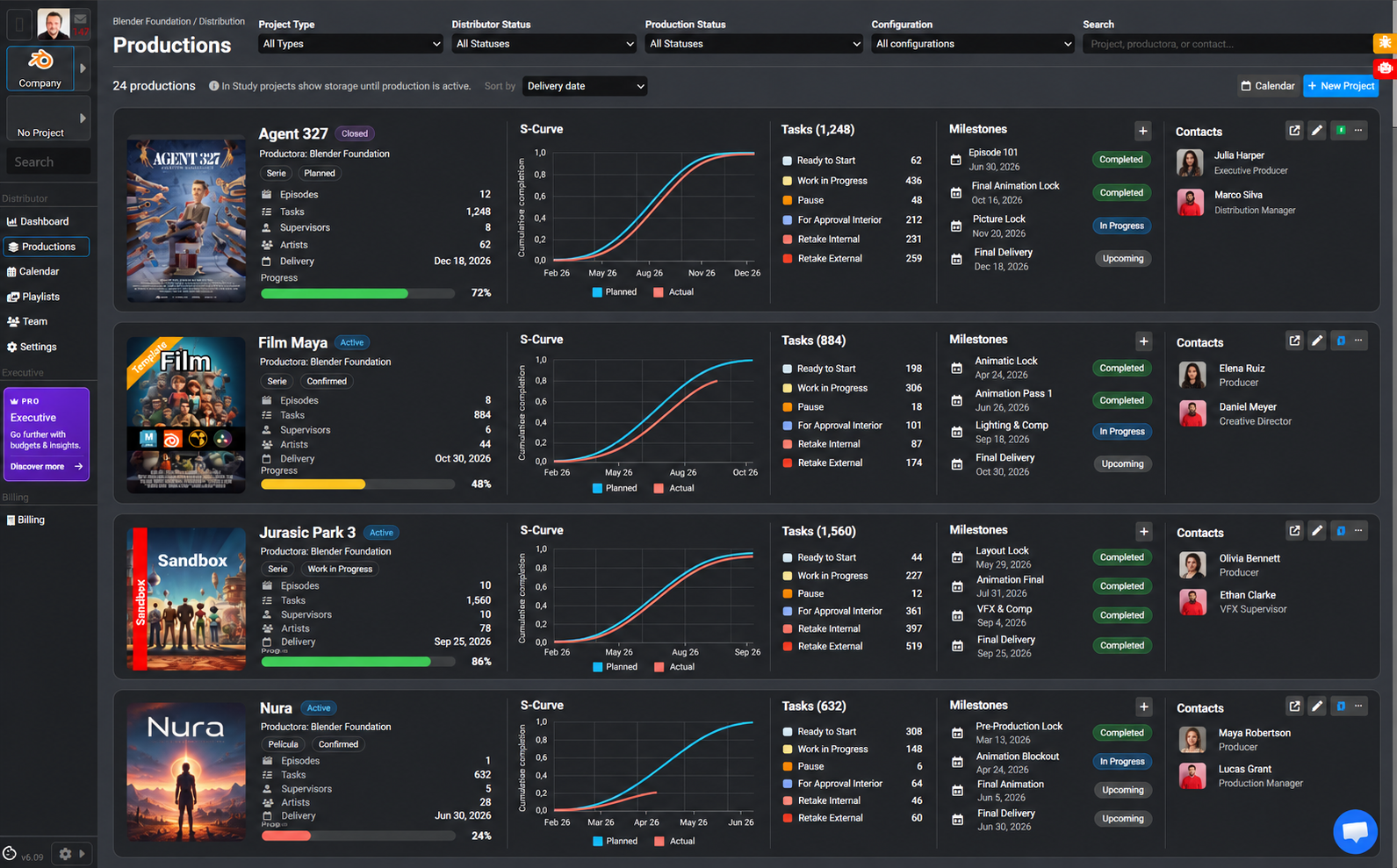
Check the delivery plan by episode and department. Review milestone dates and statuses, and identify work that is still outstanding before each delivery.
The productions dashboard shows the next delivery and progress for each project at a glance.
By production type
A workflow that understands
what you do.
2D animation, 3D production or visual effects. Explore how PipelinePro fits your specialty.
01 / PIPELINE2D Animation
 Harmony
 After Effects
 Premiere
Animation → Compositing → Editing
From drawing to final frame.
Animate in Harmony, composite in After Effects and edit in Premiere in one shared workflow.
Explore workflow↗02 / PIPELINE3D Animation
 Maya
 Nuke
 DaVinci Resolve
3D → Compositing → Color
From scene to final color.
Connect Maya, Nuke and DaVinci Resolve to take your assets and shots through final finishing.
Explore workflow↗03 / PIPELINEVFX
- Nuke
 Houdini
 Hiero
Compositing → 3D → Conforming
Every shot, all its layers.
Coordinate Nuke compositing, Maya scenes and Hiero conforming with connected versions and deliveries.
Explore workflow↗Adapt the workflow to your studio.
Start with a 2D animation, 3D animation or VFX template. Configure departments, statuses and pipeline actions, connect your tools and use the API to adapt integrations to your production.
TD / Pipeline ↗Licences that follow the project
Start with the team preparing the production. With Flex, monthly usage follows the number of people using PipelinePro.
See Flex plans ↗Let's look at your next production.
Tell us what you are making, how your team is organised and which deliveries you need to track. We’ll walk through the workflow with your project in mind.